


Best 7 Underrated Design Tools Cheap Small Agencies Actually Use
Small design agencies often operate under tight budgets, lean teams, and demanding timelines. While enterprise-level tools dominate industry conversations, many smaller studios quietly rely on affordable, lesser-known platforms that deliver impressive results without draining resources. These hidden gems help teams collaborate efficiently, automate workflows, and produce high-quality creative work without expensive subscriptions.
TL;DR: Small agencies do not always rely on the most popular or expensive design software. Instead, they frequently use affordable, underrated tools that improve collaboration, streamline feedback, simplify content creation, and boost productivity. Platforms like Penpot, Plasfy, Lunacy, and others offer powerful capabilities without enterprise-level pricing. For lean teams, these tools can make the difference between surviving and scaling successfully.
Below are seven underrated design tools that many small agencies actually use to stay competitive while keeping costs under control.
Contents
- 1 1. Penpot
- 2 2. Lunacy
- 3 3. Plasfy
- 4 4. Milanote
- 5 5. Mockuuups Studio
- 6 6. Clockify
- 7 7. FontBase
- 8 Why Small Agencies Prefer Underrated Tools
- 9 Choosing the Right Tool Stack
- 10 Frequently Asked Questions (FAQ)
- 10.1 1. Why do small agencies avoid expensive enterprise tools?
- 10.2 2. Are open-source design tools reliable for client projects?
- 10.3 3. Can affordable tools produce professional-level results?
- 10.4 4. How can agencies decide whether to adopt a new tool?
- 10.5 5. Is it better to use one all-in-one tool or several specialized tools?
- 10.6 6. What is the biggest advantage of underrated tools?
1. Penpot
Often described as an open-source alternative to premium interface design tools, Penpot has steadily gained traction among small agencies. It allows designers and developers to collaborate in real time while maintaining full flexibility over code.
Unlike many closed ecosystems, Penpot is open-source, which means teams can self-host if needed. This is particularly valuable for agencies handling sensitive client data or those who prefer full control over their infrastructure.
- Why agencies like it: Free and open-source
- Best for: UI and UX design collaboration
- Bonus: Developer-friendly with clean code exports
For small agencies juggling multiple web projects, Penpot offers scalability without escalating subscription layers.
2. Lunacy
Lunacy is a surprisingly powerful graphic design tool that works especially well for Windows users. It supports .sketch files and provides built-in graphics, icons, and illustrations.
Agencies appreciate Lunacy because it functions smoothly offline, making it an excellent choice for teams in areas with inconsistent internet connections. It also eliminates the need for multiple external asset subscriptions since many resources come preloaded.
- Why agencies like it: Free tier with strong features
- Best for: Interface design and vector work
- Bonus: Offline functionality
Small teams benefit from its straightforward interface and minimal hardware demands.
3. Plasfy
Plasfy does not usually make headlines in design communities, yet many small marketing and branding agencies quietly depend on it for rapid content production.
With thousands of ready-to-edit templates and a simple drag-and-drop system, Plasfy enables agencies to produce social media graphics, brochures, and ad creatives quickly. For agencies without a dedicated web developer, it can even assist with simple visual landing page designs.
- Why agencies like it: Budget-friendly subscription
- Best for: Marketing collateral and quick client deliverables
- Bonus: Extensive template library
For high-volume content needs, Plasfy reduces turnaround time while preserving visual consistency.
4. Milanote
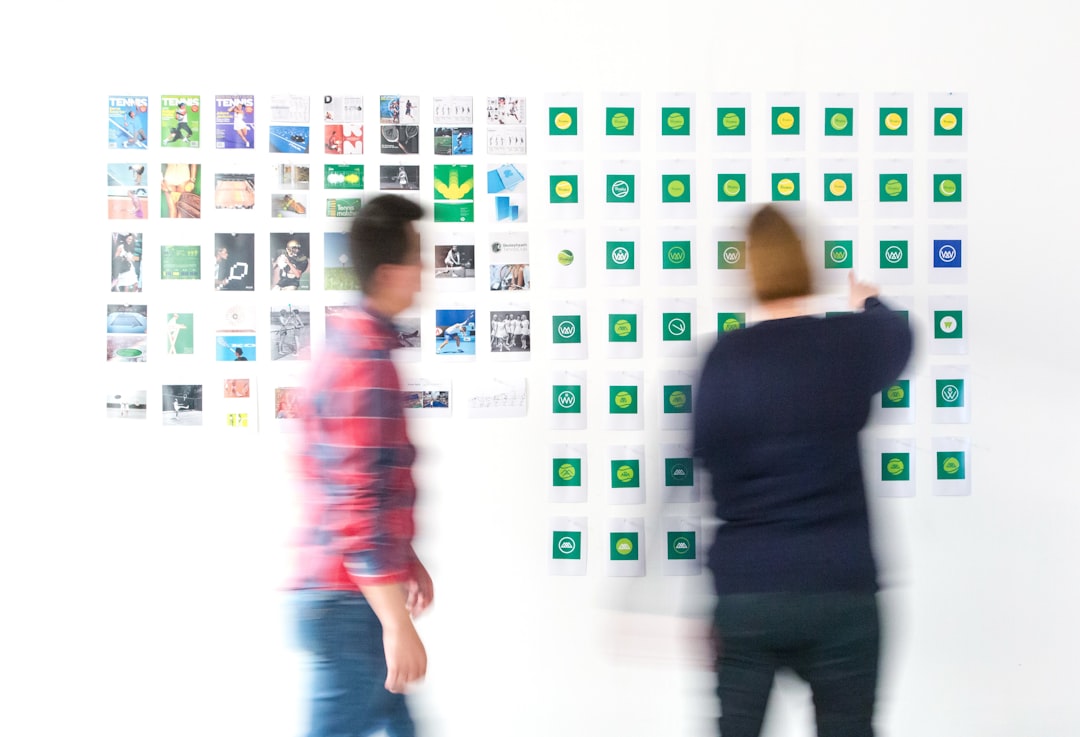
Milanote is often mistaken for just another mood board tool, but small creative agencies use it far more strategically. It acts as a visual project-planning space where ideas, wireframes, references, and notes coexist.
When pitching branding concepts or packaging ideas to clients, agencies can present structured boards instead of scattered PDFs or email attachments.
- Why agencies like it: Visual clarity for collaborative brainstorming
- Best for: Creative direction and brand development
- Bonus: Client-friendly presentation format
Milanote bridges the gap between ideation and execution, keeping both designers and clients aligned.
5. Mockuuups Studio
Client presentations can make or break a proposal. Mockuuups Studio allows agencies to create professional device mockups in seconds. Instead of wrestling with complex smart objects in traditional software, designers can simply drag their screen designs into prebuilt scenes.
This dramatically shortens the time required to prepare pitch decks and case studies.
- Why agencies like it: Saves hours on mockup creation
- Best for: App and website showcase visuals
- Bonus: Large library of realistic device scenes
For agencies with frequent client presentations, this tool becomes a quiet productivity booster.
6. Clockify
While not strictly a design tool, Clockify is indispensable for small agencies that need accurate time tracking without complicated billing software.
Design projects often expand beyond original estimates. With proper tracking, agencies can evaluate profitability, spot scope creep, and refine pricing strategies.

- Why agencies like it: Generous free plan
- Best for: Time tracking and project monitoring
- Bonus: Clean reporting dashboards
For smaller agencies where every billable hour counts, accurate tracking protects revenue.
7. FontBase
Typography management can quickly become chaotic. Agencies handling multiple branding projects often install hundreds or thousands of fonts. FontBase offers a streamlined solution for organizing and previewing typefaces efficiently.
Designers can activate fonts only when needed, keeping systems fast and clutter-free.
- Why agencies like it: Free core features
- Best for: Font organization and previewing
- Bonus: Google Fonts integration
This small but powerful tool enhances workflow stability and eliminates unnecessary frustration.
Why Small Agencies Prefer Underrated Tools
Enterprise software packages are typically optimized for large organizations with layered approval systems. Small agencies, however, value agility over complexity. Affordable tools with focused features often outperform bloated platforms in real-world conditions.
Several recurring reasons explain why smaller studios gravitate toward these hidden gems:
- Cost control: Predictable, low subscription fees
- Simplicity: Minimal onboarding time
- Flexibility: Adaptable to different client types
- Speed: Faster turnaround on deliverables
Rather than chasing industry trends, successful small agencies build practical stacks tailored to their workflows.
Choosing the Right Tool Stack
Not every tool listed above will fit every agency. The best approach involves evaluating:
- Primary service offerings (branding, UI design, marketing, etc.)
- Team size and collaboration needs
- Typical project budget ranges
- Client presentation requirements
The most efficient agencies combine one strong design platform, one organizational tool, one presentation enhancer, and one tracking system. This keeps the stack lean while covering core operational needs.
Ultimately, underrated does not mean underpowered. Many of these tools deliver high-value features without the marketing hype attached to better-known platforms.
Frequently Asked Questions (FAQ)
1. Why do small agencies avoid expensive enterprise tools?
Small agencies often prioritize cash flow and operational flexibility. Enterprise-level tools may offer advanced features that smaller teams simply do not need, making them less cost-effective.
2. Are open-source design tools reliable for client projects?
Yes. Many open-source tools like Penpot are stable and widely supported. Agencies handling sensitive projects may even prefer open-source platforms for greater data control.
3. Can affordable tools produce professional-level results?
Absolutely. Professional results depend more on skill and workflow efficiency than the tool itself. Many affordable platforms offer features comparable to premium alternatives.
4. How can agencies decide whether to adopt a new tool?
They typically evaluate pricing, ease of integration with existing workflows, collaboration capabilities, and client presentation benefits before switching.
5. Is it better to use one all-in-one tool or several specialized tools?
For small agencies, a lean combination of specialized tools often works better. It keeps systems lightweight while ensuring each function is handled efficiently.
6. What is the biggest advantage of underrated tools?
The biggest advantage is value for money. These tools often provide essential functionality without charging premium subscription rates.
In the end, small agencies thrive not by owning the flashiest software, but by mastering efficient systems. The tools listed above demonstrate that smart choices, not expensive ones, define successful creative operations.
