

Why Does My Phone Keep Turning Off Automatically?
Your phone is designed to stay awake when you need it and sleep when you do not. So when it suddenly powers off in your pocket, shuts down during a call, or restarts right as you open an app, it can be both confusing and frustrating. The good news is that a phone turning off automatically usually points to a manageable cause: battery trouble, overheating, software bugs, storage issues, or a faulty setting.
TLDR: If your phone keeps turning off automatically, the most likely causes are a weak battery, overheating, software glitches, problematic apps, or damaged hardware. Start by checking battery health, updating your software, removing suspicious apps, and making sure the phone is not getting too hot. If the shutdowns continue after basic troubleshooting, the device may need a professional battery replacement or internal repair.
Contents
- 1 1. Your Battery May Be Worn Out
- 2 2. The Phone Is Overheating
- 3 3. A Software Glitch Is Causing Crashes
- 4 4. A Problematic App May Be Triggering Shutdowns
- 5 5. Storage Space Is Critically Low
- 6 6. The Power Button Could Be Stuck or Damaged
- 7 7. Your Charger or Cable May Be the Problem
- 8 8. Water or Physical Damage May Be Involved
- 9 9. Automatic Power Settings May Be Enabled
- 10 10. Malware or Unsafe Apps Could Be Affecting the Device
- 11 What You Should Try First
- 12 When to Get Professional Help
- 13 Final Thoughts
1. Your Battery May Be Worn Out
The most common reason a phone turns off by itself is battery degradation. Smartphone batteries are not designed to last forever. Most lithium-ion batteries begin to noticeably weaken after a few years of regular charging, although heavy usage can shorten that timeline.
When a battery gets old, it may still show 30%, 40%, or even 60% charge on the screen, but it can no longer deliver enough stable power to keep the phone running. This is why some phones suddenly die even when the battery percentage suggests there should be plenty of charge left.
Common signs of a worn battery include:
- The phone shuts off at random battery percentages.
- The battery percentage drops quickly within minutes.
- The phone only works reliably while plugged in.
- The back of the phone feels swollen or slightly lifted.
- The device restarts when opening power-hungry apps.
If you use an iPhone, check Settings > Battery > Battery Health & Charging. If the maximum capacity is significantly reduced, the battery may need replacing. On many Android phones, battery health information may be found under Settings > Battery, though the exact location varies by brand.
2. The Phone Is Overheating
Phones are smart enough to protect themselves when temperatures get too high. If your device overheats, it may automatically shut down to prevent damage to the battery, processor, and internal components. This is not a random failure; it is a built-in safety response.
Overheating can happen when you:
- Use GPS navigation for a long time.
- Play graphics-heavy games.
- Record high-resolution video.
- Leave the phone in direct sunlight.
- Charge the phone under a pillow or blanket.
- Use a damaged or low-quality charger.
If your phone feels unusually hot before it shuts off, let it cool down. Remove the case, move it away from sunlight, stop intensive apps, and avoid charging it until the temperature returns to normal. Heat is one of the biggest enemies of battery life, so repeated overheating can create long-term problems.
3. A Software Glitch Is Causing Crashes
Sometimes the issue is not the battery at all. Your phone’s operating system may have a bug that causes shutdowns or restarts. This can happen after a major software update, a failed installation, or a conflict between system processes.
Software-related shutdowns often feel unpredictable. The phone may work fine for hours and then suddenly turn off while opening the camera, switching apps, or receiving a notification. If the shutdown started soon after installing an update, the update may have introduced a temporary bug.
To reduce software problems:
- Restart the phone manually to clear temporary memory issues.
- Install the latest system update, since patches often fix stability problems.
- Update all apps through the App Store or Google Play Store.
- Clear cache on Android apps that behave strangely.
- Back up your data before trying more advanced fixes.
Keeping software updated is one of the simplest ways to prevent random shutdowns. Updates are not only about new features; they often include security patches, performance improvements, and bug fixes that affect stability.
4. A Problematic App May Be Triggering Shutdowns
Apps can sometimes overload your phone or interfere with normal operation. Poorly designed apps, outdated apps, or apps downloaded from unofficial sources may drain the battery, consume excessive memory, or cause crashes that make the device shut down.
Think about when the issue began. Did your phone start turning off after you installed a new game, launcher, battery saver, cleaning app, or security app? If so, that app may be the culprit.
Try these steps:
- Uninstall recently installed apps one by one.
- Check battery usage to see which app is consuming the most power.
- Disable apps that run constantly in the background.
- Avoid “phone booster” or “RAM cleaner” apps that promise unrealistic performance gains.
On Android, you can also boot into Safe Mode, which temporarily disables third-party apps. If your phone stops shutting down in Safe Mode, an installed app is likely responsible. On iPhone, there is no identical Safe Mode for regular users, but deleting suspicious apps and checking battery activity can still help.
5. Storage Space Is Critically Low
A nearly full phone can behave strangely. When storage is too low, the system has less room to create temporary files, update apps, manage cache, and perform basic operations. This can lead to freezing, crashing, or automatic restarts.
If your phone regularly displays warnings about low storage, do not ignore them. Freeing up space may improve performance and reduce shutdowns.
Ways to reclaim storage include:
- Deleting old screenshots, videos, and duplicate photos.
- Removing apps you rarely use.
- Clearing downloaded files.
- Moving photos and videos to cloud storage or a computer.
- Clearing app cache on Android.
- Deleting old message attachments.
As a general rule, try to keep at least 10% to 15% of your phone’s storage free. This gives the system enough breathing room to operate smoothly.
6. The Power Button Could Be Stuck or Damaged
If your phone keeps powering off or showing the power menu unexpectedly, the physical power button may be stuck, dirty, or damaged. This is especially likely if the button feels mushy, jammed, too loose, or unusually sensitive.
A tight case can also press against the power button without you noticing. Remove the case and use the phone for a while to see if the problem stops. If there is dirt around the button, gently clean the area with a dry, soft brush. Avoid using excessive liquid, as moisture can cause more damage.
If the button is damaged internally, a repair technician may need to replace the button assembly or inspect the surrounding hardware.
7. Your Charger or Cable May Be the Problem
A faulty charger can cause charging instability, battery stress, and unexpected shutdowns. If your phone turns off while charging, charges unusually slowly, or becomes hot when plugged in, test it with a different charger and cable.
Use chargers from reputable brands and make sure they match your phone’s charging requirements. Very cheap or damaged chargers may deliver inconsistent voltage, which can affect battery performance over time.
Also inspect the charging port. Dust, lint, or corrosion in the port can prevent a stable connection. If the cable wiggles too much or charging starts and stops repeatedly, the port may be dirty or damaged.
8. Water or Physical Damage May Be Involved
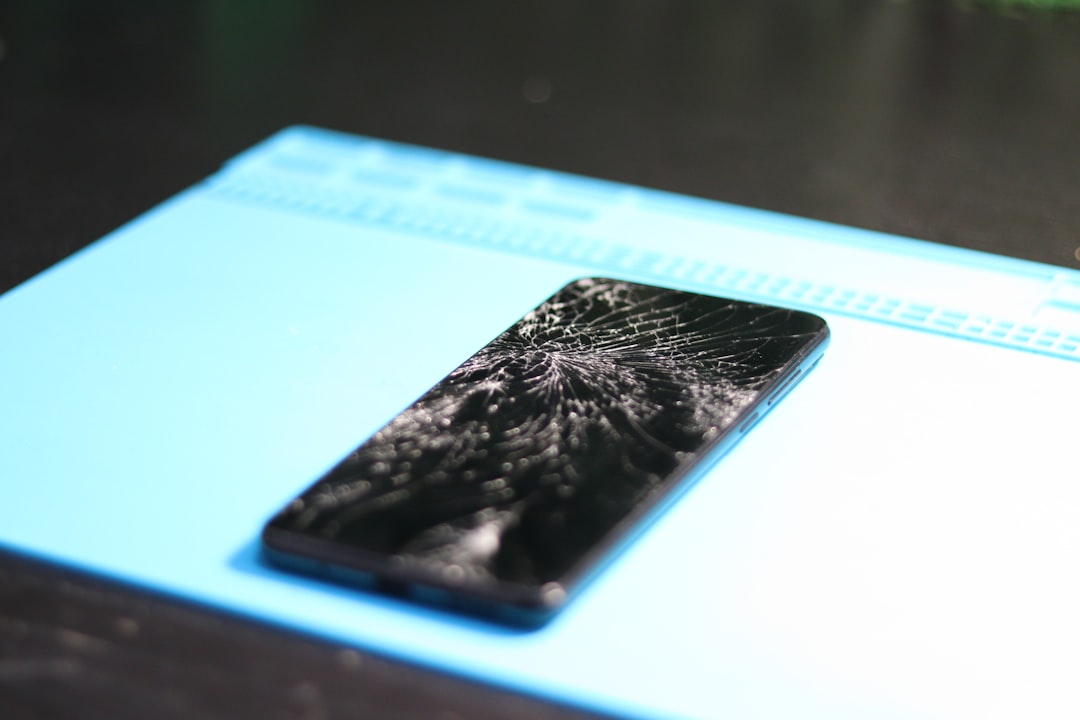
If your phone was recently dropped or exposed to water, the shutdowns may be related to internal damage. Even if the screen looks fine, the battery connector, motherboard, power circuit, or internal cables could be affected.
Water damage can be especially sneaky. A phone may continue working for hours or days after contact with moisture, then begin shutting down as corrosion develops inside. This can happen after dropping it in water, using it in heavy rain, taking it into a steamy bathroom, or spilling a drink nearby.
If you suspect liquid damage, turn the phone off and avoid charging it. Charging a wet or corroded phone can make the damage worse. A technician can open the device, inspect the internals, and clean or replace affected parts.
9. Automatic Power Settings May Be Enabled
Some Android phones include scheduled power on and off features. If enabled, the phone may shut down at a specific time every day. This can seem mysterious if you forgot the setting was turned on.
Look in your settings for terms such as Scheduled power on/off, Auto power off, Battery automation, or Device care. The exact wording depends on the manufacturer.
iPhones do not usually have a standard scheduled shutdown feature, but Focus modes, Screen Time restrictions, and battery optimization settings can sometimes be mistaken for power issues because they limit notifications or app activity.
10. Malware or Unsafe Apps Could Be Affecting the Device
While malware is not the most common cause of automatic shutdowns, it is possible, especially on Android devices that install apps from outside the official app store. Malicious software may run hidden processes, drain battery, overload the system, or interfere with normal functions.
Warning signs include:
- Sudden pop-ups or ads outside your browser.
- Unknown apps appearing on your phone.
- Battery draining much faster than usual.
- Data usage increasing unexpectedly.
- The phone overheating while idle.
Remove unfamiliar apps, run a scan using a trusted security app, and avoid installing APK files from unknown websites. If the problem remains severe, a factory reset may be necessary after backing up important data.
What You Should Try First
Before assuming the worst, follow a simple troubleshooting order. Start with the easiest and least risky fixes, then move toward more serious steps.
- Restart your phone and observe when the shutdown happens.
- Charge it fully with a reliable charger and cable.
- Check battery health if your phone provides that option.
- Install system and app updates.
- Remove recently installed apps.
- Free up storage space.
- Watch for overheating during games, video recording, or charging.
- Back up your data in case more advanced repairs are needed.
- Factory reset only if software issues seem likely and other fixes fail.
- Visit a repair professional if shutdowns continue.
When to Get Professional Help
You should consider professional repair if the phone shuts off several times a day, only works while plugged in, becomes extremely hot, has a swollen battery, was recently exposed to water, or continues failing after a factory reset. These symptoms often suggest a hardware problem that cannot be fixed through settings alone.
A technician may test the battery, inspect the charging port, check internal connectors, or diagnose motherboard faults. In many cases, a battery replacement is enough to bring the phone back to normal. However, if the phone is older and repair costs are high, replacing the device may be more practical.
Final Thoughts
A phone that keeps turning off automatically is inconvenient, but it is usually not a mystery once you narrow down the symptoms. If it dies at random battery percentages, suspect the battery. If it shuts off when hot, focus on overheating. If it began after an update or app installation, look at software and apps first.
The best approach is to work step by step: check the basics, update everything, remove suspicious apps, give the phone space to breathe, and protect it from heat. If the issue continues, do not ignore it. Random shutdowns can cause data loss, missed calls, and worsening hardware damage. A timely battery replacement or repair can often save both your phone and your patience.
